
Hungry in Seoul? The Ultimate Guide to Ordering "Baedal Minjok" (Baemin) for Foreigners
Craving K-drama fried chicken in your Gangnam hotel? 🍗 Ordering on Baemin as a foreigner is finally possible with global cards! Learn how to navigate the app yourself with our DIY guide, or avoid the language barrier entirely by letting Stay Drop’s concierge handle it for you.


POV: You’re in your hotel room in Gangnam after a long day of exploring. You’ve seen it in K-Dramas—crispy fried chicken by the Han River, Jjajangmyeon (black bean noodles) arriving at lightning speed. You want to experience the legendary Korean delivery culture, but you’re staring at your phone, wondering how to make it happen.
Welcome to the "Delivery Nation."
Did you know that food delivery in Korea isn't just a modern convenience? It’s practically in the DNA of this peninsula. Historical records show that even in the Joseon Dynasty, scholars and royalty ordered Naengmyeon (cold noodles) and Haejangguk (hangover soup) to be delivered to their homes. Today, Korea offers the world's most sophisticated, lightning-fast delivery infrastructure.
But for a foreigner, accessing this "magical" world often feels like hitting a brick wall.
The Good News: You CAN Use "Baedal Minjok" (Mostly)
Unlike shopping giants like Coupang or Musinsa—which require a Korean phone number and strict identity verification (the dreaded "Identity Barrier")—Baedal Minjok (Baemin) is surprisingly foreigner-friendly.
They recently updated their system to allow Foreign Credit Cards and Non-Member Ordering. This means you don't always need us to buy your late-night snacks (though we are happy to help!).
If you are feeling adventurous and want to try ordering yourself, here is the Senior Editor’s Guide to conquering Baemin.
📱 DIY Tutorial: How to Order on Baedal Minjok
If you are brave enough to navigate a purely Korean interface, follow these steps strictly.
Step 1: Download the App
Search for "Baedal Minjok" or "Baemin" or "배달의 민족" in the App Store or Google Play. Look for the mint-colored icon with the cute helmet character.
Step 2: The Address Challenge
This is the trickiest part.
- Open the app.
- You might not just type "Grand Hyatt Seoul." Then, you need the Korean street address format. Or just click GPS button to set location where you are.
- Pro Tip: Go to juso.go.kr. Search your hotel’s English address, copy the Korean version, and paste that into the Baemin address bar.
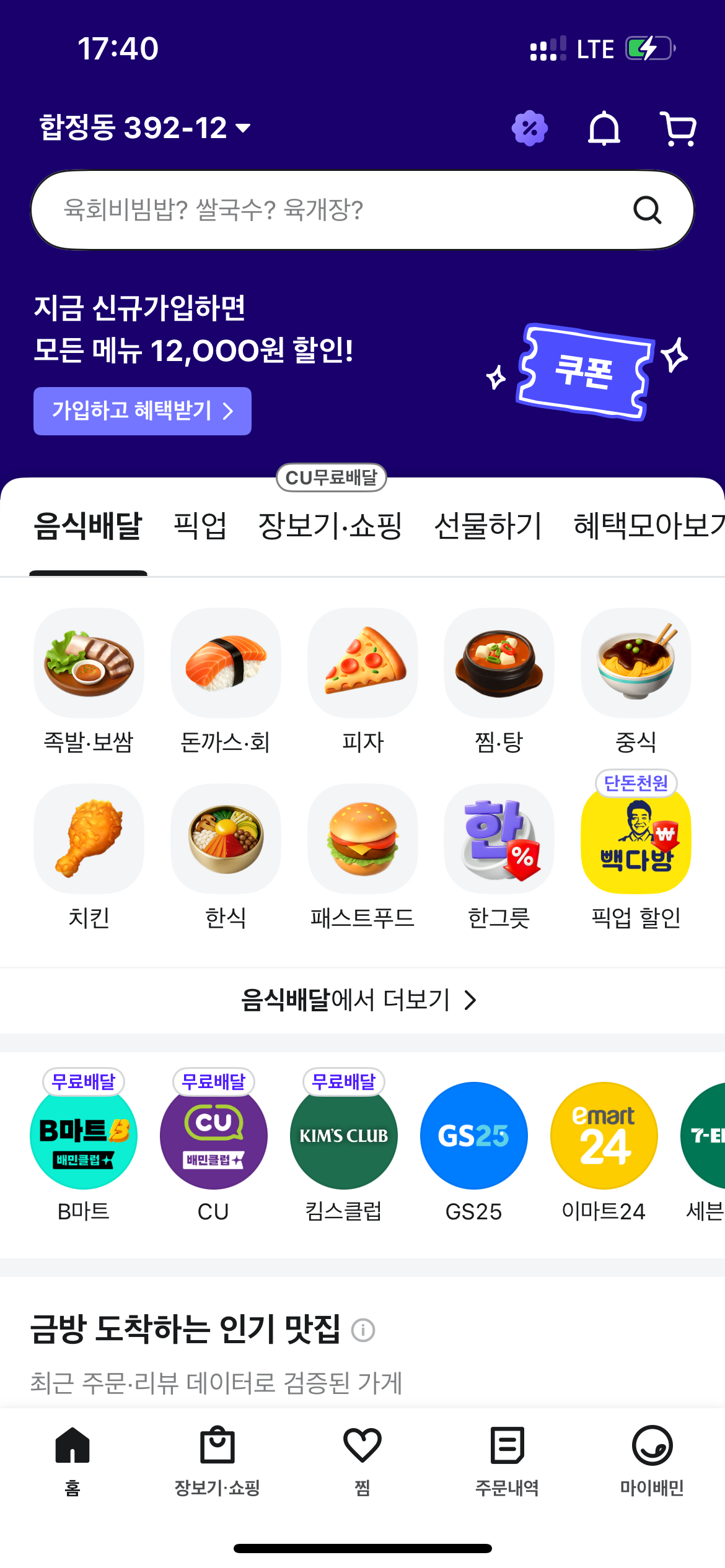
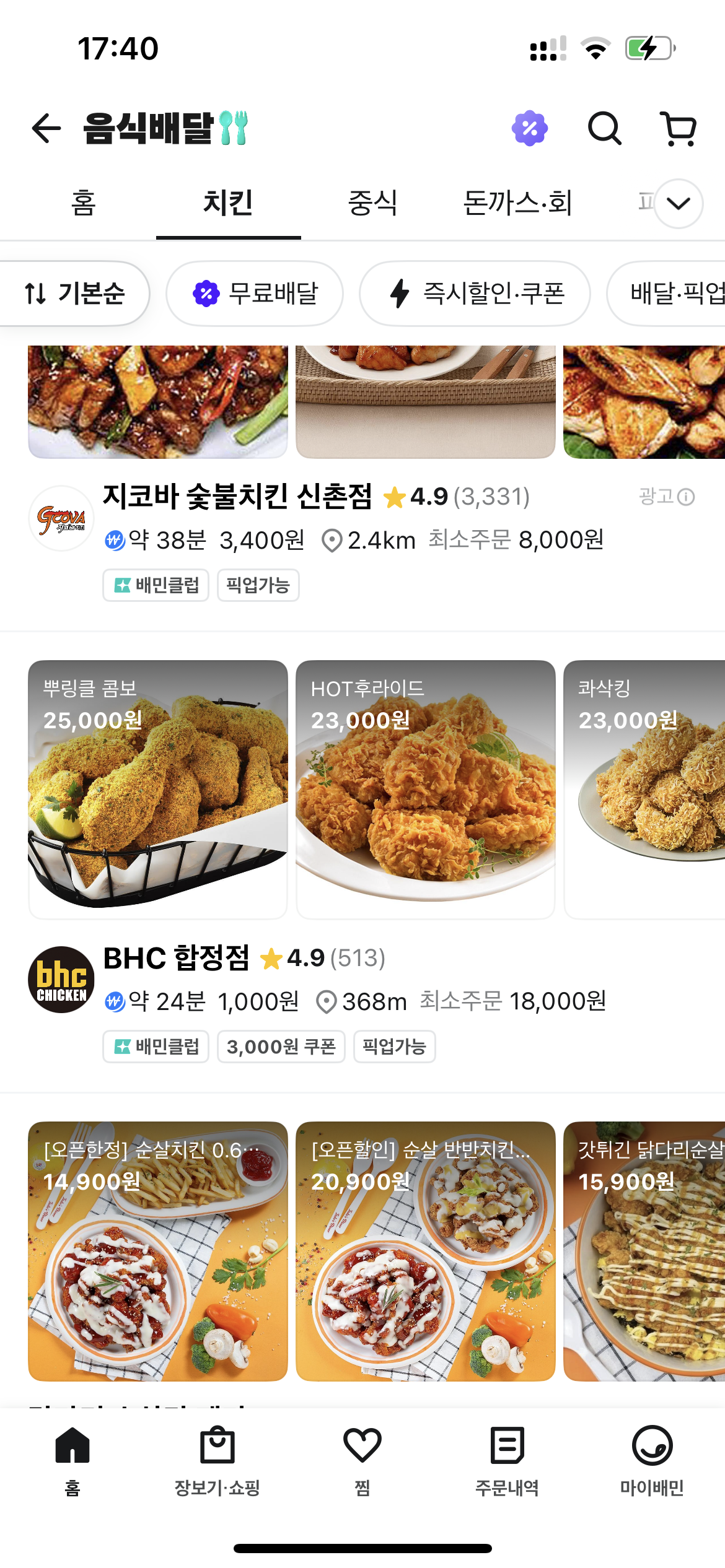
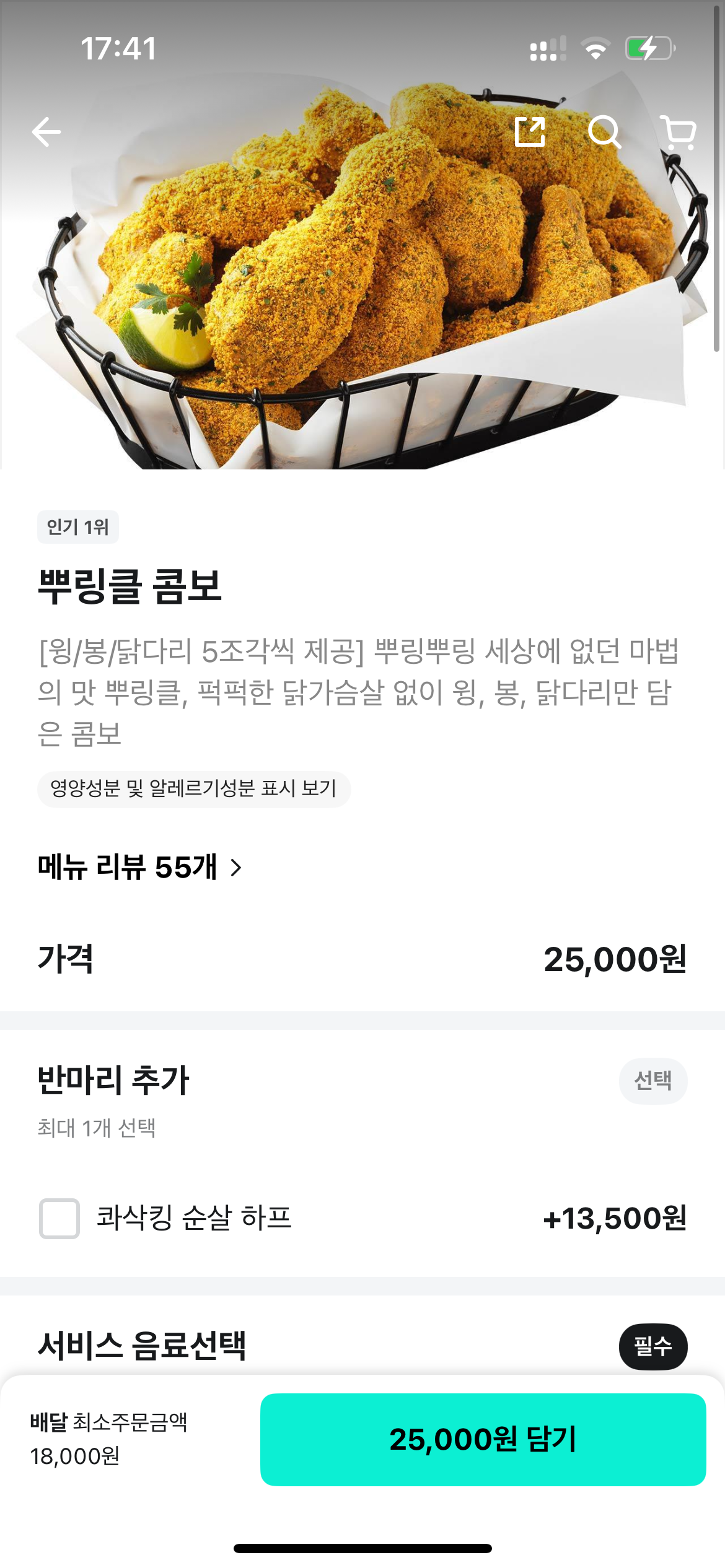
Browse the categories.
Step 3: Browsing & Cart
Browse the categories (Chicken, Pizza, Korean Food, etc.). Use Google Translate’s camera feature if you are unsure what you are looking at. Select your menu items and hit the "Plus" button.
Or click menu, choose options, and click mint-color button, which includes prices + "담기".
Step 4: Order
Back to main page of the restaurant then click the "View Shopping-cart" (장바구니 보기) button at the bottom of the cart screen. Make final-check your order, then click "주문하기" button.
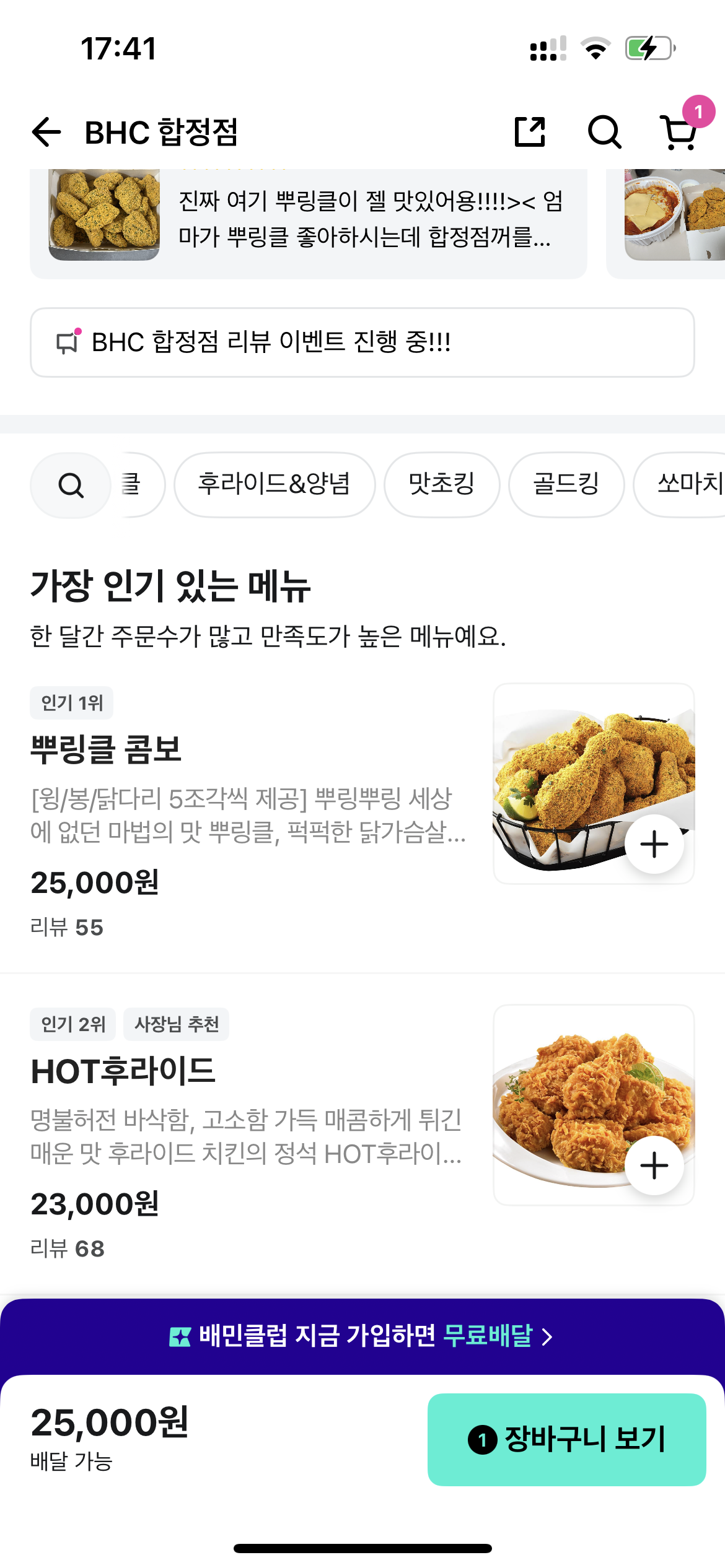
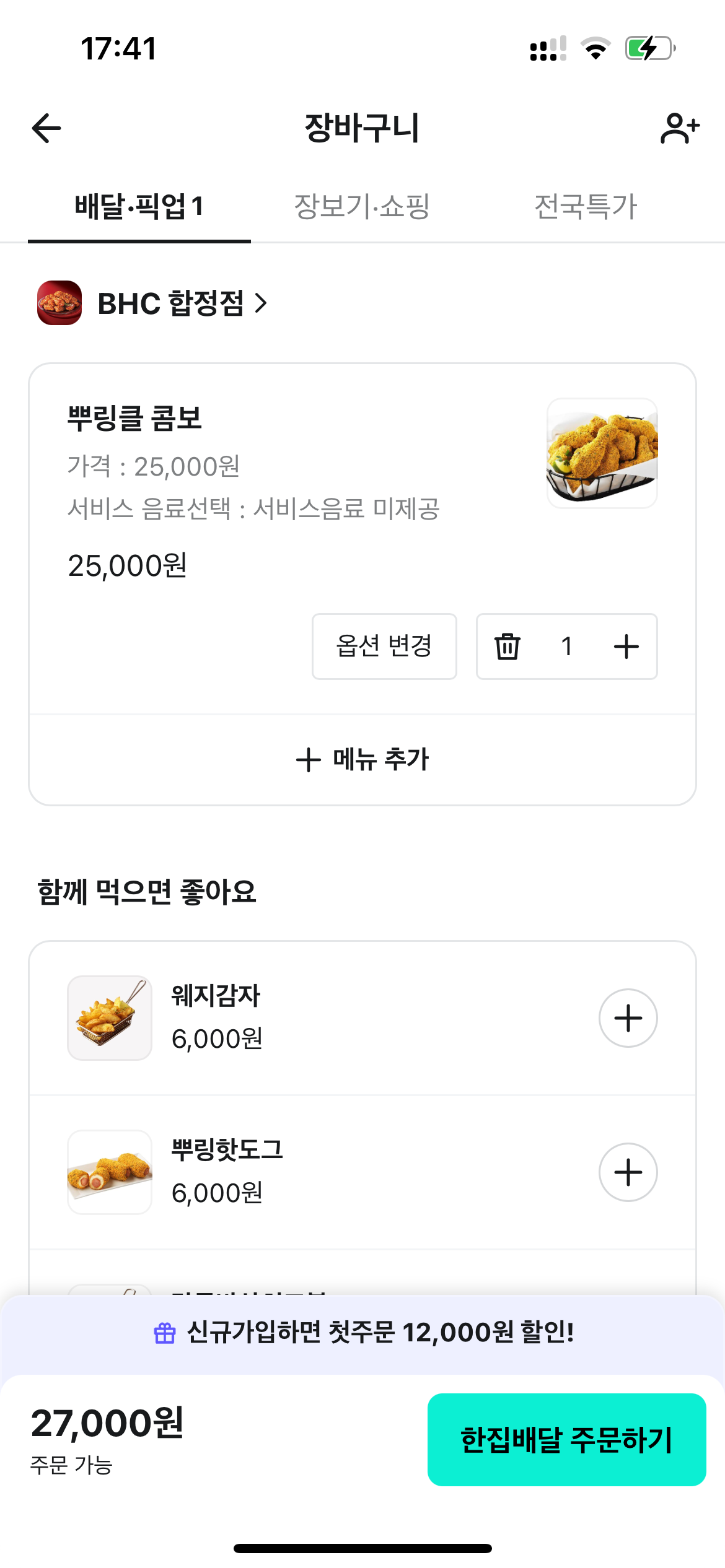
Click view shopping cart, then click complete order.
Step 5: Payment (The Critical Step)
- Select "Other Payment Methods" (다른 결제 수단).
- Look for "Global Payments" (Global Card / Foreign Card).
- Note: Do not select "Naver Pay" or "Kakao Pay" unless you have a Korean bank account.
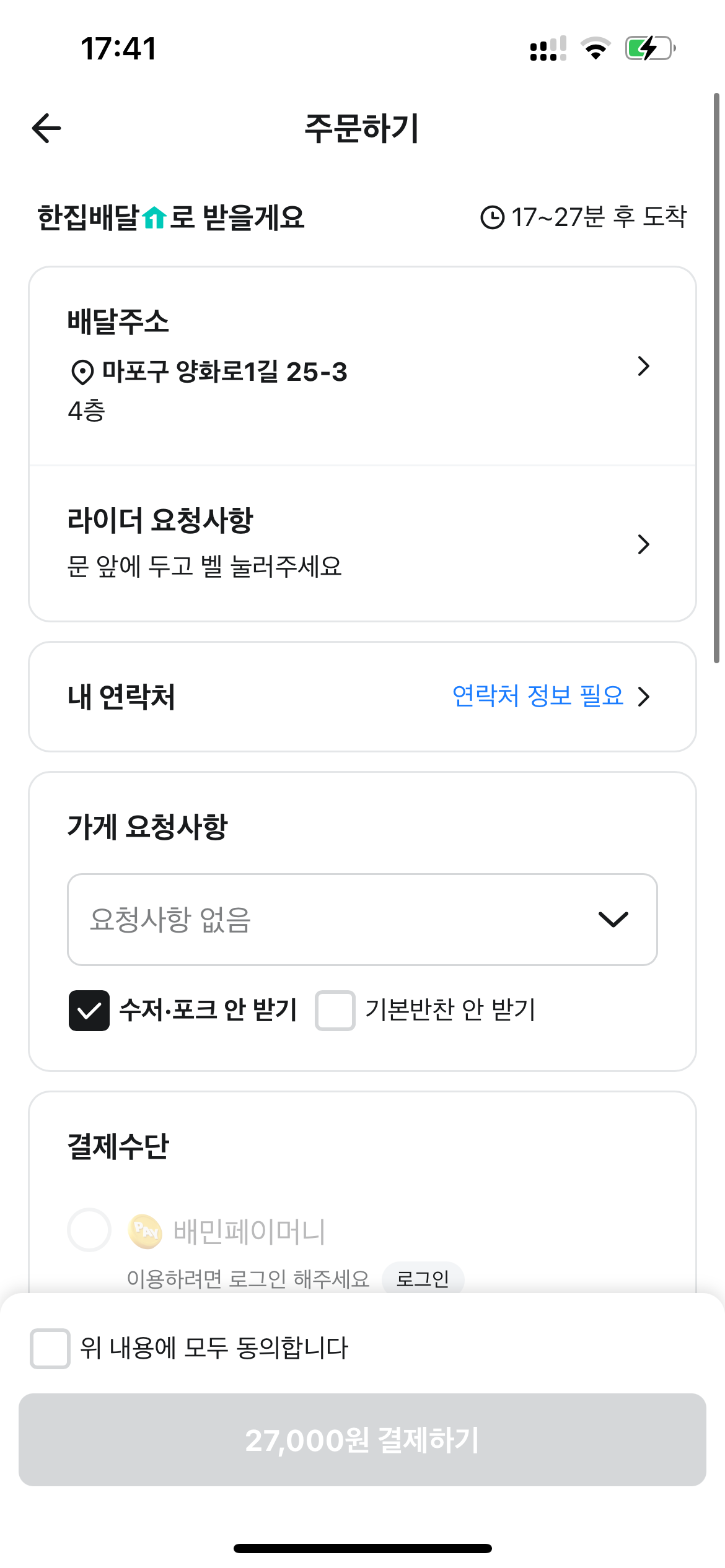
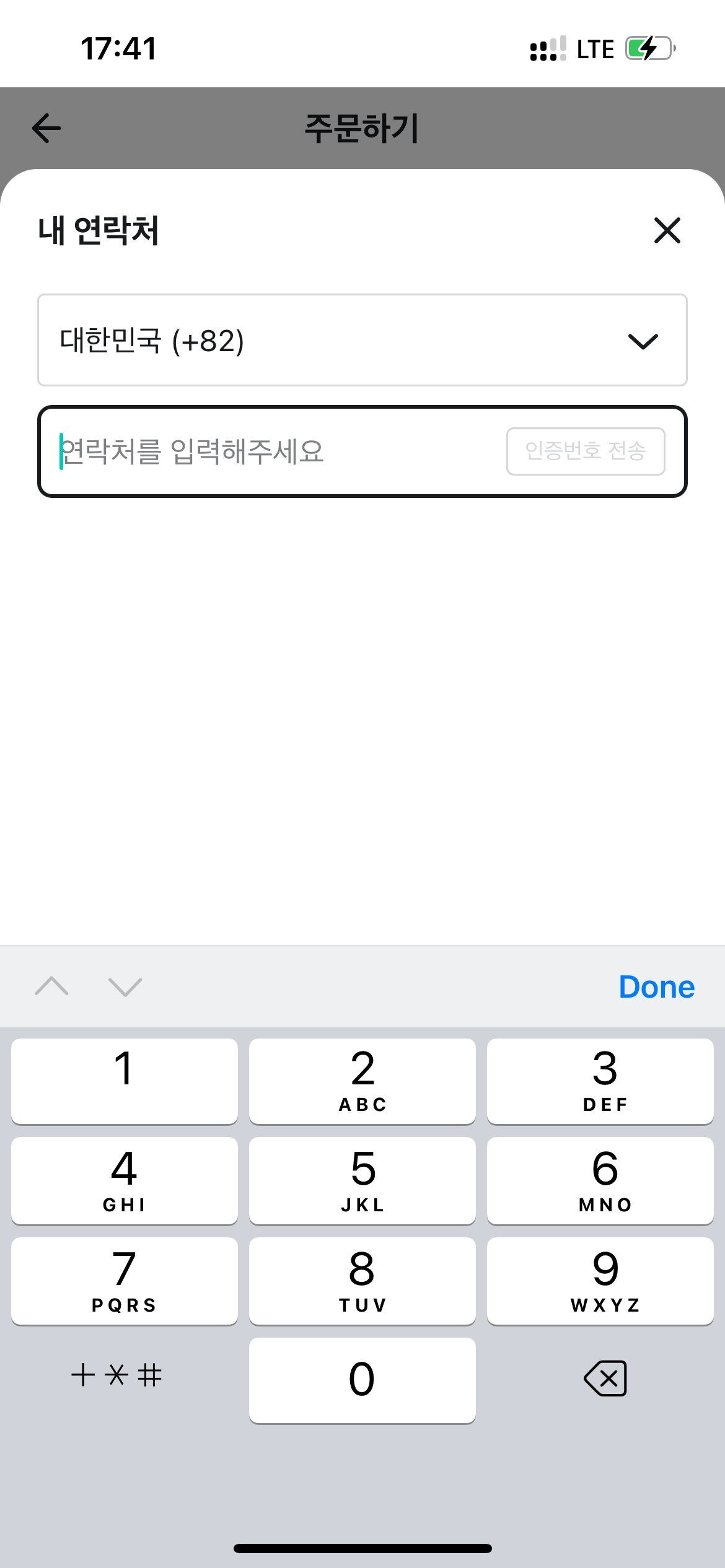

Write down your phone number(regardless your local number or temporary Korean number). Then choose Global Payments.
Step 6: The Waiting Game
Once paid, you’ll see an estimated time. Now, wait for the knock on your door (or a call from the lobby).
🚫 The "But..." (Why DIY Isn't Always Easy)
So, you can order yourself. But should you?
Here is the hard truth travelers face after Step 6:
- The Language Barrier: The entire app is in Korean. One wrong click and your "Mild Chicken" becomes "Nuclear Spicy Fire Chicken."
- Allergy Risks: If you have a peanut, shellfish, or dairy allergy, there is no English option to communicate this to the chef. A Google Translate error here could ruin your trip (or land you in the ER).
- The Rider Call: Korean delivery riders move fast. If they can’t find your hotel entrance or the door code doesn't work, they will call you. They speak Korean. If you don't answer or can't communicate, they might leave with your food.
- Complex Customization: Want the sauce on the side? No pickles? Extra radishes? Navigating these options without fluency is a headache.
🦸♂️ The Solution: Let Stay Drop Handle It (Concierge Mode)
This is where Stay Drop steps in as your savior.
We aren't just a buying service; we are your local Korean concierge. If browsing a Korean app stresses you out, or if you have strict dietary requirements, do not risk it.
Why use Stay Drop for Food Delivery?
- Zero Language Stress: You don't need to download the app. You don't need to translate menus.
- Allergy Safety: We explicitly communicate your allergies to the restaurant in native Korean to ensure your safety.
- Rider Communication: We put our number on the order. When the rider calls asking for directions, we handle it and guide them straight to your hotel lobby.
- Just Tell Us What You Want: "I want the best fried chicken near Myeongdong," or "I need a heavy breakfast for a hangover." We recommend and order.
💡 How to Order Food with Stay Drop
- Find what you want (send us a link, a screenshot, or just a description like "Boneless Soy Garlic Chicken").
- Send it to our WhatsApp.
- We send you a quote. (For food delivery, our service fee is just 25%).
- Pay via PayPal.
- Relax. We track the rider and message you when the food is at your hotel pickup spot.
Don't waste your precious travel time fighting with translation apps or worrying about spicy levels.
Whether it's a massive shopping haul from Musinsa or a single box of famous Korean fried chicken, we are here to make your Seoul trip seamless.
Hungry? Send us a message on WhatsApp now!
>> Chat on WhatsApp <<